
Keep Tabs on Your Money
Experience the freedom of knowing exactly where your money goes.
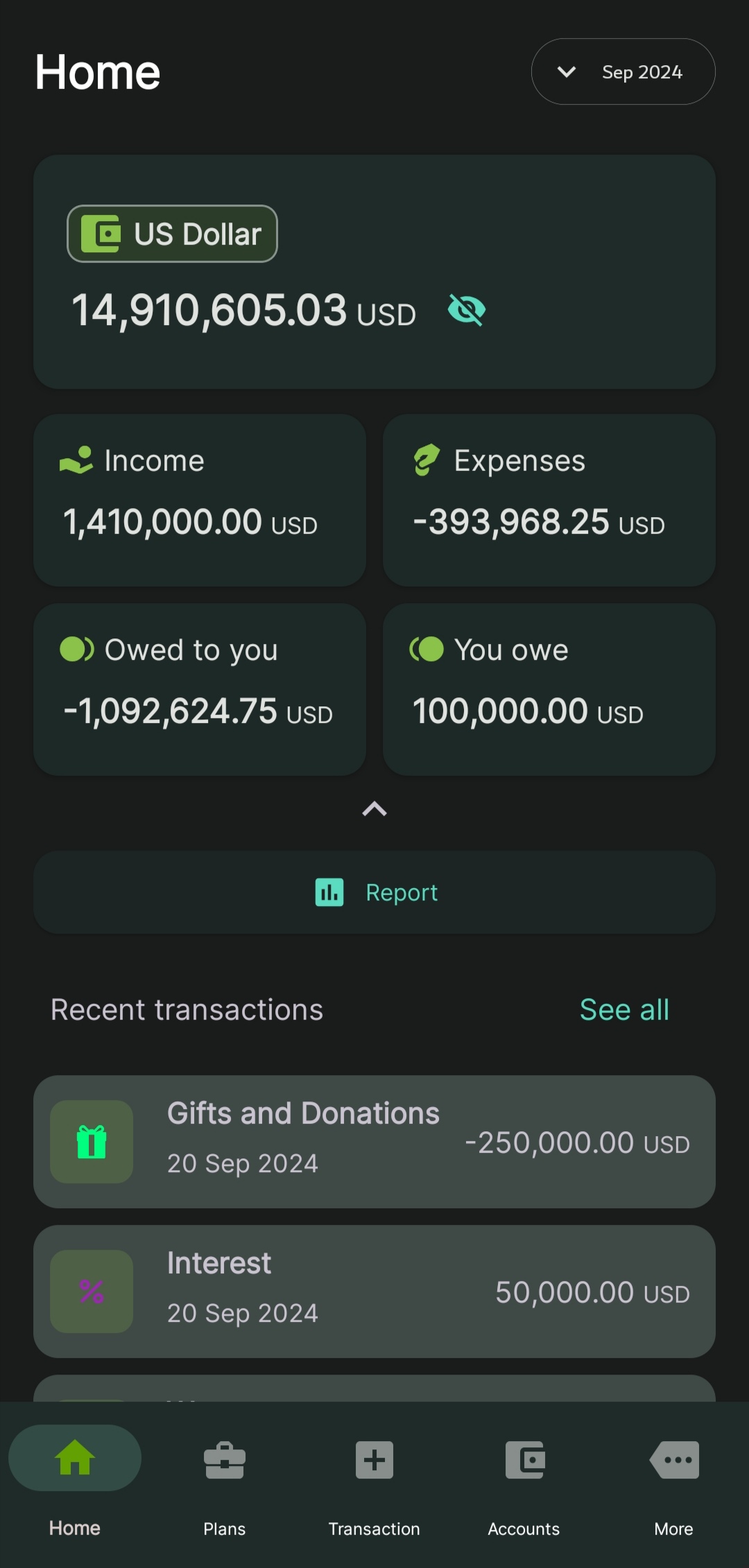
What MyTabs tracks.
Personal finance for Android, offline-first. Accounts, debts, budgets, and what you're owed, all in one place.
-
Accounts
Multiple accounts, multiple currencies. Track balances and transactions in one place.
-
Income
Record where your money comes from. Categorize sources, monitor earnings over time.
-
Expenses
Track where it goes. Categorize spending to see patterns and opportunities to save.
-
Payables
Money you owe. Track creditors, due dates, and outstanding balances.
-
Receivables
Money owed to you. Track debtors and incoming payments.
-
Budgets
Set monthly spending limits. Get real-time updates as you transact.
-
Targets
Set savings and spending goals. Watch progress in real time.
-
Reports
Charts and summaries. Spending patterns and financial health at a glance.
-
Backup & Restore
Save your data. Restore on a new device, or after a reset.
Common questions.
A few things people often ask before downloading.
How much does MyTabs cost?
Free, with no ads. Cloud Sync across devices is an optional premium subscription; everything else works without any purchase.
Is MyTabs available on iOS?
Not yet. MyTabs is Android-only.
Can I track money I owe or that's owed to me?
Yes. Payables track what you owe, Receivables track what's owed to you, both with due dates and running balances.
Does MyTabs support budgets and savings goals?
Yes. Set monthly budgets and savings or spending targets, with real-time progress as you transact.
Where is my data stored?
On your device by default. Accounts, transactions, and budgets stay on your phone. If you turn on Cloud Sync (premium), that data also syncs to Ayia's own servers so it's backed up and available on other devices. The app uses standard Google services (Play Services, Firebase Analytics, Crashlytics) for diagnostics. Full details are in the Privacy Policy.
Do you sell my data?
No. We never sell your data. See the Privacy Policy for exactly what we collect and why.
Does MyTabs work offline?
Yes. The app runs locally; an internet connection is not required to track or view your money.
Can I sync across devices?
Yes, with Cloud Sync, an optional premium feature that keeps your data in sync across devices automatically. Without it, use Backup & Restore to move your data between devices, free.
How do I cancel Cloud Sync or my subscription?
Through Google Play: Play Store app > Menu > Subscriptions > MyTabs > Cancel. Billing and cancellation are handled by Google Play, not Ayia directly.
What happens to my data if I cancel Cloud Sync or my subscription lapses?
Nothing on your device is deleted. Syncing pauses, so new changes stop going to the cloud, but data already backed up stays there until you request deletion.
Can I import my existing data?
Yes, from an Excel file (.xlsx). Go to More > Settings > Data control > Import, and use the downloadable template to format your file.
Can I export my data?
Yes, to an Excel file (.xlsx). Go to More > Settings > Data control > Export, then save it to a folder or share it. A book spanning several years produces one file per year. To move everything to another device, use Backup & Restore instead.